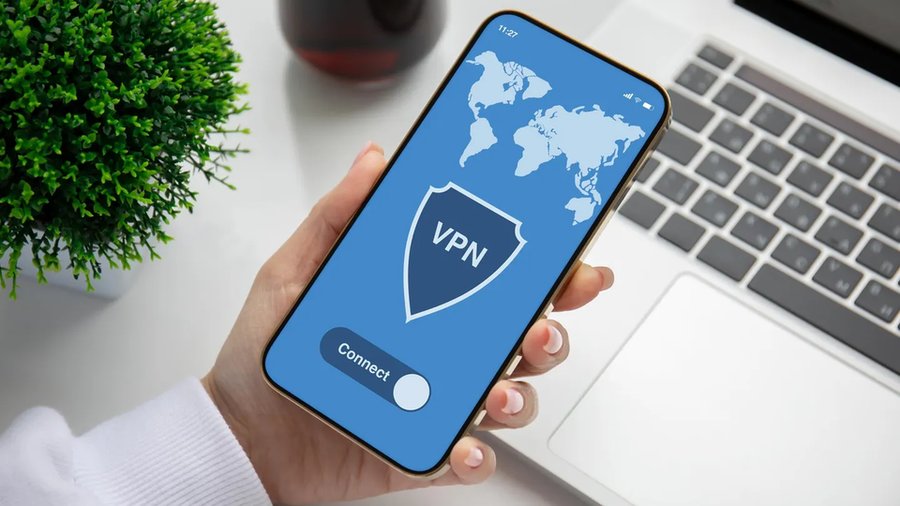

Introduction: Securing Your Mobile Connection in 2026
In today’s digital landscape, protecting your mobile connection has become more critical than ever. With mobile devices accounting for 51.51% of worldwide web traffic in 2026, securing your smartphone’s internet connection is essential for privacy, security, and unrestricted access to online content. This comprehensive guide will walk you through the process of connecting a VPN on your mobile phone, with detailed steps optimized for both Android and iOS devices.
Why Use a VPN on Your Mobile Phone in 2026?

Before diving into the technical steps, let’s explore why a VPN is indispensable for your mobile device in 2026:
- Privacy Protection: Encrypts your data to prevent ISPs, hackers, or apps from tracking your online activity
- Access Restricted Content: Unlock geo-blocked content on streaming platforms or websites by changing your virtual location
- Secure Public Wi-Fi: Shields your connection on public networks, which are prime targets for data theft
- Bypass Censorship: Access blocked sites or services in regions with heavy internet restrictions
- Enhanced Security: For those engaging in sensitive online activities, a VPN masks your IP, making transactions or browsing untraceable
Step-by-Step Guide: How to Connect VPN on Mobile Phone 2026
Step 1: Choose a Reliable VPN Service for 2026
Start by selecting a VPN provider that suits your needs. In 2026, top VPNs for mobile include NordVPN, ExpressVPN, Surfshark, and CyberGhost, all offering fast speeds, robust encryption, and mobile-optimized apps. Look for features like:
- Kill switch to prevent data leaks
- Split tunneling to choose which apps use the VPN
- No-logs policy for maximum privacy
Download the VPN app from the Google Play Store (Android) or Apple App Store (iOS). Avoid free VPNs unless they’re from reputable providers, as many log your data or inject ads.

Step 2: Install the VPN App on Your Mobile Phone
Once you’ve chosen a provider, follow these steps:
- Open your app store and search for the VPN (e.g., “NordVPN 2026”)
- Tap “Install” and wait for the download to complete
- Open the app and sign in with your account credentials
Step 3: Configure VPN Settings
After installation, configure the settings to optimize your connection:
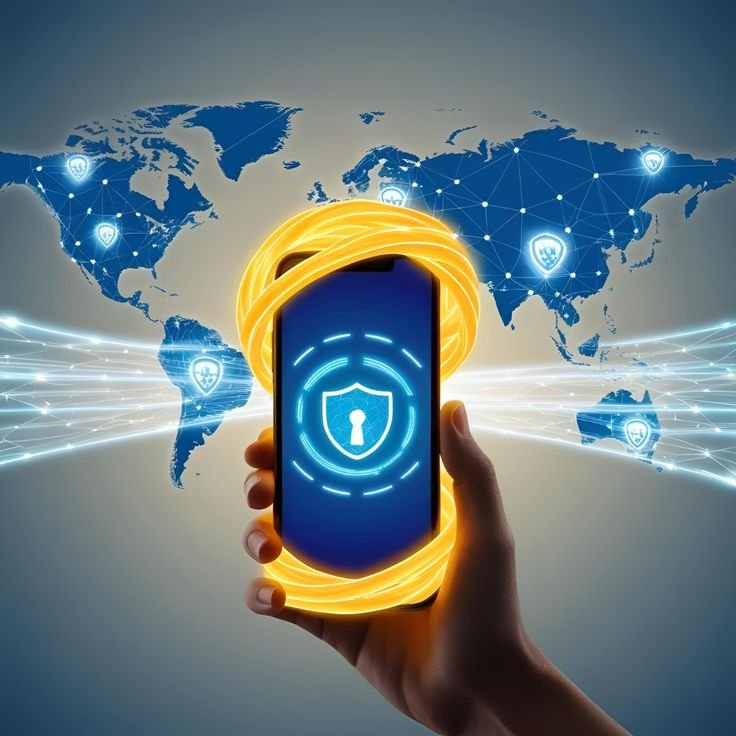
- Launch the VPN app
- Allow permissions for the VPN to modify your network settings
- Choose a protocol (e.g., OpenVPN or WireGuard for speed and security in 2026)
- Select a server location based on your needs—nearby servers for speed, distant ones for geo-unlocking
Step 4: Connect to a VPN Server
Now for the core process—connecting to a server:
- In the VPN app, tap the “Connect” or “Quick Connect” button
- Wait a few seconds for the connection to establish
- Look for a notification or icon (like a lock or shield) on your status bar confirming the VPN is active
- Verify your IP has changed by using a site like “whatismyipaddress.com”
Step 5: Test and Troubleshoot Your Connection
Ensure everything works by testing your VPN. Browse a geo-restricted site or app to confirm access. If the connection fails:
- Switch servers to resolve congestion issues
- Check your internet connection (Wi-Fi or mobile data)
- Update the VPN app to the latest 2026 version for bug fixes
Step 6 (Advanced): Manual VPN Setup Without an App
For users who prefer manual control, you can set up a VPN directly in your phone’s settings using protocols like PPTP or L2TP/IPsec:
- Obtain server details, username, and password from your VPN provider
- Go to “Settings” > “Connections” (Android) or “General” > “VPN” (iOS)
- Add a new VPN connection, input the server address, credentials, and protocol
- Save and connect
Recommended VPN Tools and Resources for 2026
To enhance your mobile VPN experience in 2026, consider these essential tools:
| Tool Category | Recommended Options | Best Source |
|---|---|---|
| VPN Services | NordVPN, ExpressVPN, Surfshark | Cardingsnipers.com |
| Proxies | Residential, Mobile, Datacenter | Cardingsnipers.com |
| Carding Tools | Non-VBV CCs, Cloned Cards | Cardingsnipers.com |
| Security Tools | OTP Bots, Transfer Tools | Cardingsnipers.com |
For those engaged in sensitive online activities, Cardingsnipers.com offers a comprehensive suite of tools specifically designed to work seamlessly with VPN connections, ensuring maximum privacy and effectiveness in 2026.
Common Issues When Connecting VPN on Mobile and Fixes
You might encounter these problems when setting up your mobile VPN:
- Connection Drops: Switch to a different server or protocol (e.g., from OpenVPN to WireGuard) for stability
- Slow Speeds: Choose a closer server or disable features like split tunneling if not needed
- App Crashes: Ensure your app and OS are updated to the latest 2026 versions
- Battery Drain: VPNs can consume power; lower screen brightness or limit background apps while connected
Advanced Tips for Using VPN on Mobile in 2026
Take your VPN usage to the next level with these pro tips:
- Automate Connections: Use VPN apps with auto-connect features to activate on untrusted Wi-Fi networks
- Custom DNS: Set a secure DNS like Cloudflare (1.1.1.1) in your VPN settings for extra privacy
- Multi-Hop Connections: Some 2026 VPNs offer double VPNs, routing traffic through two servers for enhanced anonymity
- Battery Optimization: Enable power-saving modes in the VPN app if available to reduce drain during long sessions

Conclusion: Stay Secure with VPN on Mobile in 2026
This comprehensive guide has equipped you with everything needed to secure your smartphone’s internet connection in 2026. From choosing the right VPN service to connecting and troubleshooting, you’re now set to browse, stream, or operate anonymously in the ever-evolving digital world.
For those engaged in specialized online activities, pairing your VPN setup with high-quality tools from Cardingsnipers.com ensures maximum effectiveness and security. Their extensive catalog of non-VBV credit cards, premium proxies, and specialized carding software is designed to work seamlessly with VPN connections, providing the ultimate solution for privacy-conscious users in 2026.
Start by downloading a trusted VPN app, follow the step-by-step process outlined above, and explore the specialized tools available at Cardingsnipers.com to enhance your online security and effectiveness. Your privacy is in your hands—take control today!
Codecypher
Codecypher is a Ukraine-based professional hacker with expertise in forensic data analysis and cybersecurity. With a strong background in digital investigations, he specializes in uncovering hidden data, analyzing cyber threats, and strengthening system security. Through his work, he shares insights on hacking techniques, digital forensics, and online safety.